
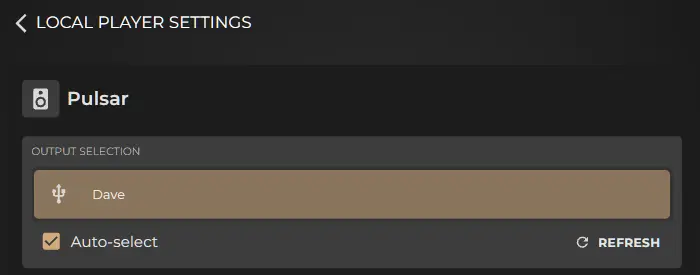
First, confirm that your DAC is indeed connected, you can do so by checking the audio settings page, this is found in the Sense app by going to System > Settings > Audio > Audio Settings (Gear Icon). See example below of a connected USB DAC.
If your DAC is detected and shown on the Audio Settings page but when playing back you get no sound, please check your DACs manual if your DAC has an option to switch between USB Audio Class 1 or USB Audio Class 2. Please ensure the DAC is selected to use USB Audio Class 2. USB Audio Class 1 is an outdated protocol that supports only up to 24bit/96KHz and is not supported on Innuos systems.
Please confirm that the physical volume on your DAC or preamplifier is not muted or set too low. Also check that the output in Sense is not muted. In the Sense app, open the Now Playing screen then tap volume/speaker icon in the bottom right corner to open the volume control. Tap the speaker icon to mute or unmute. The icon will change to show the current mute status
For further assistance please contact Innuos support via the Contact Support option in the Settings section of the Sense app. Or you can email them via support@innuos.com.