
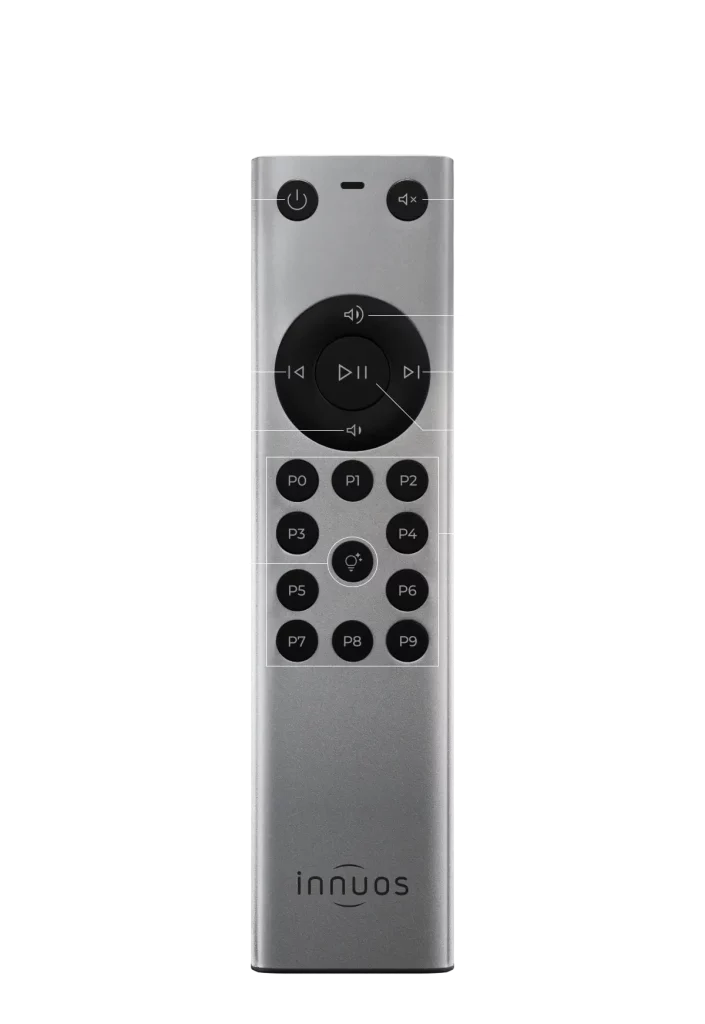
Launched in early 2026, this marks a first for Innuos: an all new physical remote control accessory, available exclusively for the STREAM Series, giving users greater flexibility in how they interact with their system.
Key Features
- Always ready and available to all the family, accessible without the need to open the Sense App.
- “Play Anything” to start a random mix from the music library (like it already happens with the Sense App).
- Direct access to key functions: play/pause, next/previous, power, and volume (via Sense digital volume control).
- Reliable IR operation with 2 × AAA batteries for long battery life.
- 10 Numbered Presets for playlists to have plenty of options to play your favourite tunes at a touch of a button, radio stations, and Smart Mixes (set in the Sense app).
Presets
Why are the presets numbered 0-9? Because with the new STREAM series that will support control with IR remotes, you can now simply use that remote to turn the Stream on, then press a numbered button to begin playing music that you assigned to that number.
See here for our guide on assigning Presets via the Sense app
Remote Control Battery Installation
To install or replace the batteries:
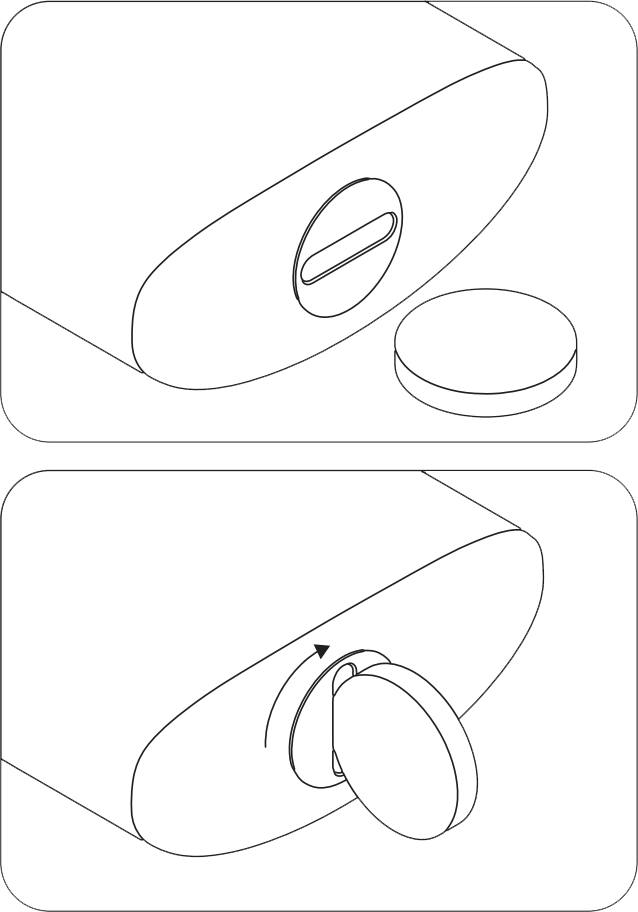
- Rotate the battery cover clockwise to open it.
- Insert the two AAA batteries, ensuring the correct polarity as indicated inside the compartment.
- Replace the cover and rotate it counter clockwise until securely closed.
- Please ensure the batteries are inserted correctly, as incorrect polarity will prevent the remote from functioning.
Battery install diagram –