

With Sense 26, classical music receives a major upgrade with enhanced metadata support now available in Sense.
Album pages, search, editing, CD ripping, and the Now Playing screen now recognise composers, works, movements, conductors, orchestras, ensembles, and soloists, providing a richer and more accurate browsing experience.
Albums previously ripped on any Innuos system will automatically be updated with this enhanced metadata. Music imported from other sources will need to be manually edited for the changes to apply.
After updating to Sense 26 for the first time, you’ll be prompted to perform a library rescan. This scans your local music library and updates all albums previously ripped on an Innuos system with the new classical metadata and improved library layout.
Discovering
Album pages show real classical credits
When an album has classical metadata, its page presents it the way a concert program would, rather than as a flat list of tracks. The header shows the composer (tap it to open their artist page) alongside the performers, formatted as Conductor: Ensemble · Soloist, plus the record label and release year. Tapping the performer line opens a list of everyone involved, each with their role and, where available, a photo. A Credits view lists every composer and performer, track by track, the same way a CD booklet would.
Composers get a Works section
Composers now have their own Dedicated page – Composers
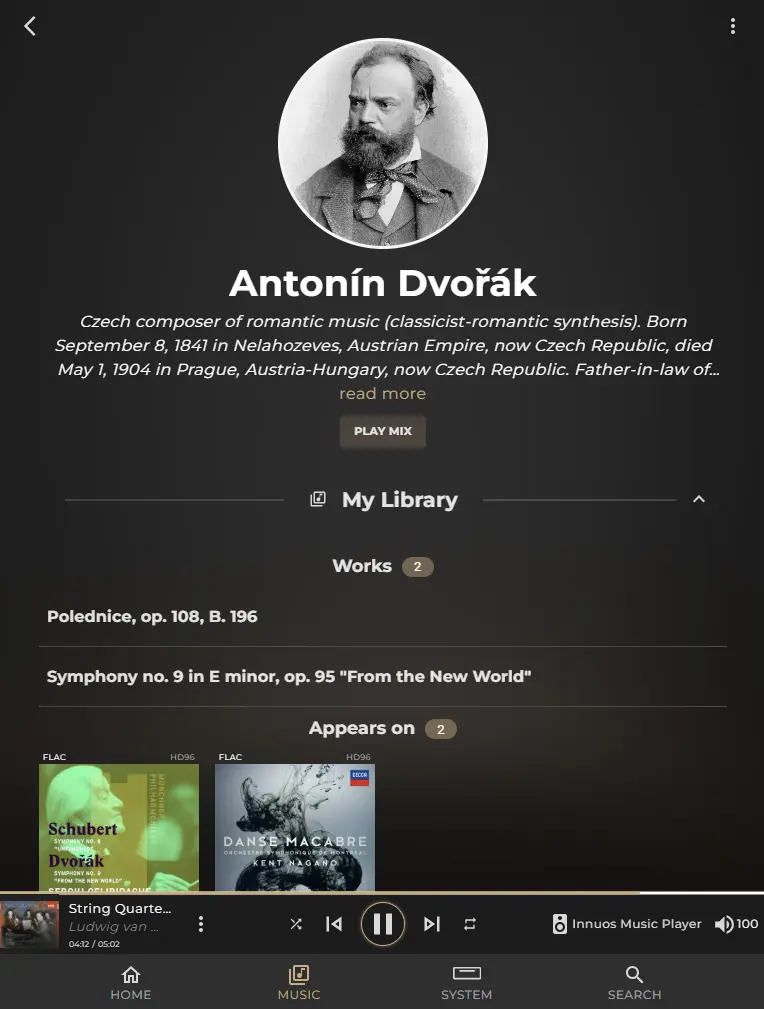
A composer’s artist page now shows a Works section — but only when they actually have works catalogued. Tapping a work opens a dedicated Work page: the composer’s photo and name, the work’s title given the most visual prominence, set against a softly blurred backdrop built from the covers of albums that contain it.
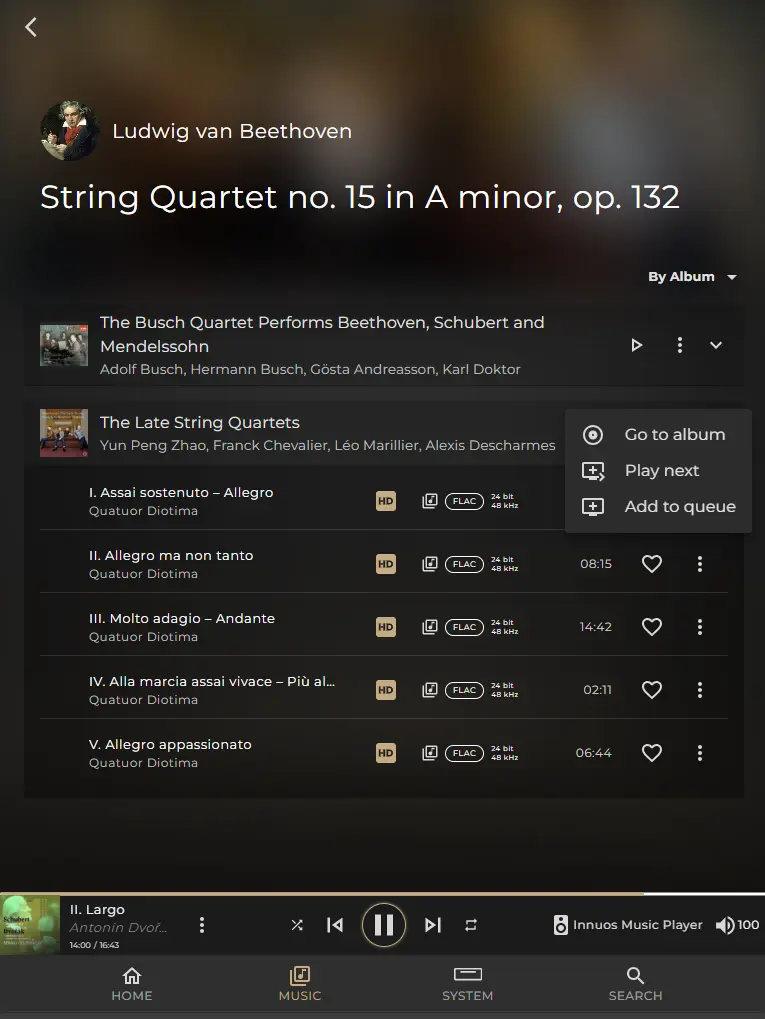
Every recording of that work in your library is grouped by album in an expandable row. Each row shows the album artwork, album title, performers, and a Play button to play only the movements from that work.
A menu also gives you options to open the full album, add it to the queue, or play it next.
This provides an easy way to browse Composer > Work > Recordings, particularly useful when your library contains multiple performances of the same piece.
Search now understands classical credits
Search now matches against composer, work title, and performers — conductor, ensemble, and soloist — on top of the artist, album, and track-title matching it already did. A match on any of these brings back the albums, tracks, and playlists that contain it.
Searching for “Beethoven” now returns matching albums, tracks, and playlists where Beethoven is listed as the composer. This includes, for example, a lieder recording credited to singer Hermann Prey, even though Beethoven does not appear as the listed artist.
This applies to Qobuz and Local/NAS albums already in your Music Library, which are the two sources that currently include this information.
TIDAL search is unaffected, as it does not yet support these classical metadata fields. For Qobuz, a track must either be favourited or belong to a saved album to be included. Tracks that only appear in a playlist are not covered.
Sense 26 – Album Editor
One of the many improvements with Sense 26 comes the new, improved album Editor tool, with new tools and support for enchanced metadata fields to better support and visualise your classical music library in Sense.
Read more on this here – Classical Mode – Editor